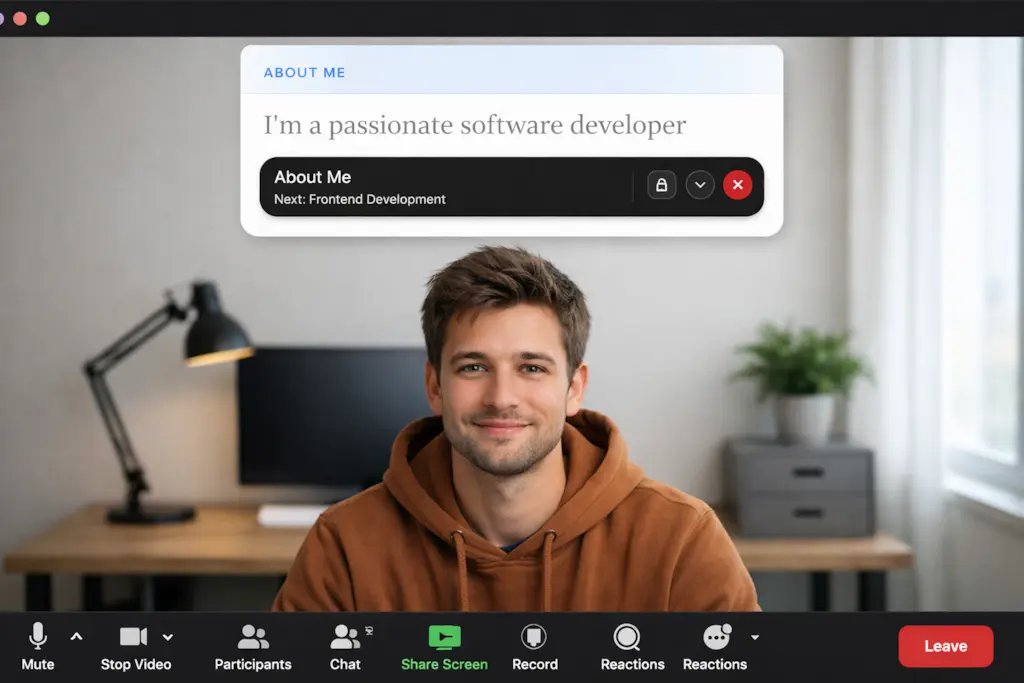
Seamless eye contact on browser video calls
Google Meet runs directly inside Chrome, Safari, or Edge. Because Meet runs in a browser tab, finding a comfortable place for your presentation notes without cluttering your browser window can be frustrating.
Glance solves this by sitting floating right above your browser window, positioned directly beneath or beside your webcam lens.
Why Glance works effortlessly with Google Meet
- Browser Tab Sharing Protection: When you share a single Chrome or browser tab in Google Meet, Glance remains completely invisible to your meeting participants while remaining visible to you.
- Single-Screen Optimization: Perfect for laptop users working from coffee shops, home offices, or single-monitor setups.
- Custom Pacing & Voice Pause: Speech-matched scrolling lets you speak naturally without rushing or sounding like you're reading a script.
Simple setup in 30 seconds
- Open your Google Meet call in Chrome or your default browser.
- Launch Glance and snap it to the top-center of your screen right below your webcam.
- Paste your talking points or Markdown file and start speaking with confidence.
Upgrade your Google Meet presentations
Download Glance for macOS and Windows today.
Get Glance for Google Meet